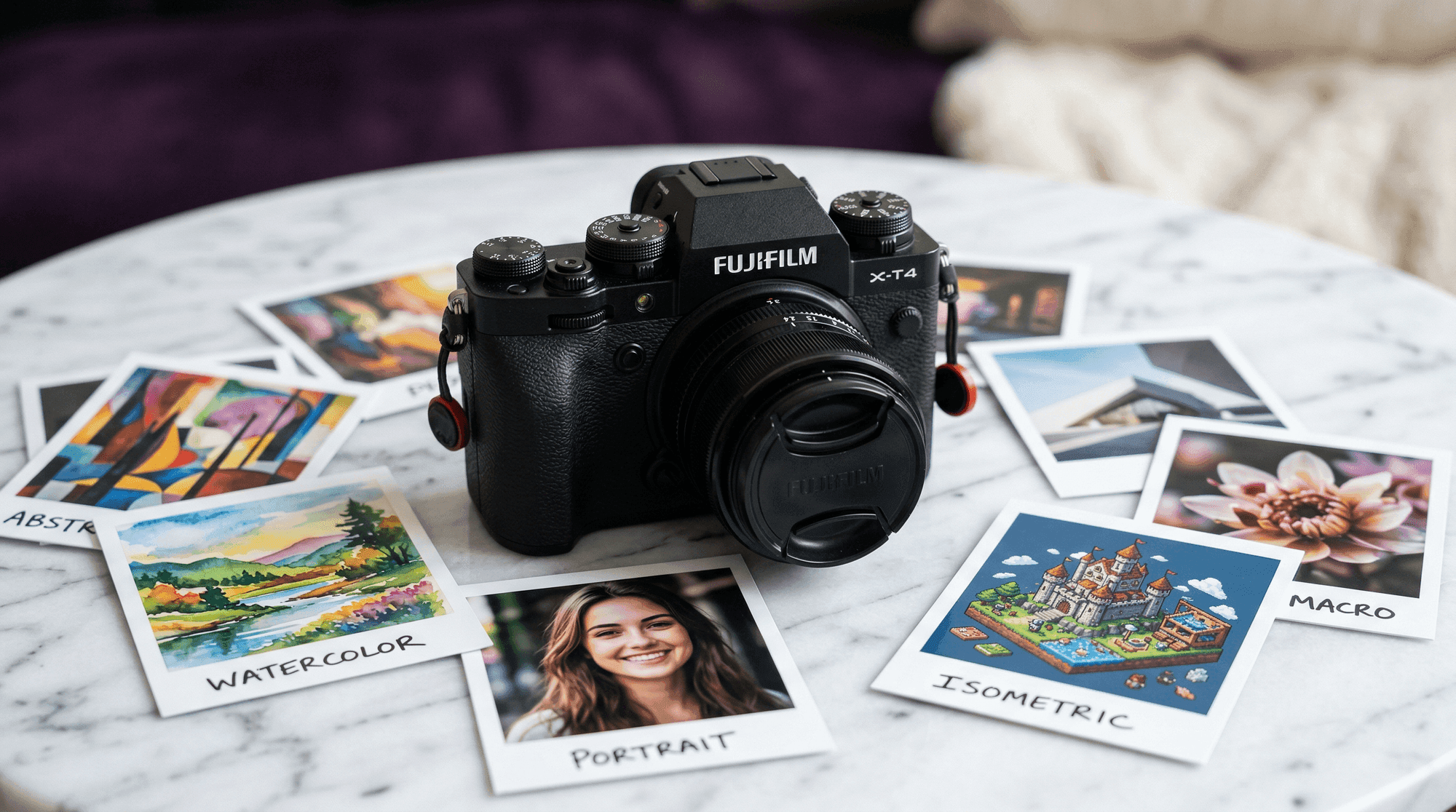
Google DeepMind dropped Nano Banana 2 on February 26, 2026, and it landed differently than most model releases. This isn't an incremental fine-tune—it's a Reasoning-Infused Hybrid architecture that runs a full Gemini 3.1 reasoning pass before a single pixel is generated. The result: native 4K output at sub-second latency, flawless typography in 100+ languages, and built-in real-time Google Search grounding. The community is already pushing it in directions its creators probably didn't anticipate. This guide covers what it is, how to connect it to ComfyUI, and what the first wave of experimentation has turned up—plus a practical approach to keeping your rapidly growing collection of outputs organized and reproducible.
Part of our The Complete Guide to ComfyUI Asset Management
What Is Nano Banana 2?
Nano Banana 2 is Google DeepMind's Gemini 3.1 Flash Image model, released February 26, 2026. The architecture is called Reasoning-Infused Hybrid: before any pixels are touched, the Gemini 3.1 reasoning engine acts as a pre-processor, decomposing your prompt into spatial, typographic, and compositional primitives. That reasoning pass is what makes typography and logical spatial relationships work so reliably—the model knows where things should go before it starts drawing.
Under the hood, image generation uses Latent Consistency Distillation (LCD), which compresses the diffusion process from the usual 20–50 steps down to two to four computational steps. That's how NB2 hits 0.86 s median latency at 512×512 on a single RTX 4090 while producing native 4096×4096 output across 14 supported aspect ratios. In FP16 batch mode, throughput peaks at 355 images per minute.
A few other specs worth knowing: the model supports 14 reference image inputs for style blending (10 object references, 4 character references), maintains five-character consistency and 14-object fidelity across sequences, and bakes real-time Google Search grounding directly into the generation pipeline so outputs can reflect current events or factual context. SynthID watermarking and C2PA Content Credentials ship as standard, and the license is fully cleared for commercial use. Pricing runs $0.045 per image at 512 px, $0.067 at 1K, and $0.151 at 4K—roughly 50% cheaper than Nano Banana Pro.
Setting Up Nano Banana 2 in ComfyUI
There are three ways to connect Nano Banana 2 to a ComfyUI workflow, and the right choice depends on your setup and how much configuration overhead you want.
Pathway A: ComfyUI-IF_Gemini
The most mature option. ComfyUI-IF_Gemini is a community custom node pack that exposes NB2 alongside other Gemini endpoints. It supports proxy routing, credential management via .env files, and thinking modes that give the reasoning engine more budget before generation. If you run a local or self-hosted ComfyUI instance, start here. Install via ComfyUI Manager or clone the repo into your custom_nodes/ directory, then add your Google AI Studio API key to .env.
Pathway B: OpenAI Compatibility Nodes
NB2 is accessible through Google's OpenAI-compatible API surface, which means any ComfyUI node that speaks the OpenAI image generation protocol will talk to it with zero additional dependencies. Point your existing OpenAI-style node at the Google endpoint and supply the model ID gemini-3-1-flash-image. The tradeoff: you lose access to NB2-specific features like multi-reference blending and Search grounding until those are surfaced through the compatibility layer.
Pathway C: Comfy Cloud Partner Nodes
The lowest-friction option. Comfy Cloud has an official Google partnership that makes Nano Banana 2 available as a first-class node with zero installation, no API key management, and billing handled through your Comfy Cloud account. If you're already using Comfy Cloud for rendering, this is the fastest path to a working NB2 workflow. The partner nodes expose the full multi-reference and Search grounding capabilities from day one.
What the Community Is Creating with Nano Banana 2
The early community results split into two camps. Professional studios are using NB2 for high-volume production pipelines—Series Entertainment reportedly generated 100,000+ assets for Netflix titles at 180 times their previous production speed. Moment Factory used it for 3D projection mapping content at the Sphere in Las Vegas. On the scientific side, researchers are exploiting the Search grounding feature to generate accurate geological infographics and real-time weather maps without manually sourcing reference data.
Indie creators have taken a different angle entirely. On Reddit, a growing thread documents techniques for injecting “natural imperfection markers” into AI influencer portraits—skin micro-texture, deliberate facial asymmetry, subtle noise—to push back against NB2's tendency toward over-smoothed skin in portrait mode. The model's CLIPScore of 0.319 sits neck-and-neck with SDXL (0.320), but NB2 dominates on structural clarity, logical reasoning, and text rendering. Where FLUX.2 [schnell] still has the edge is painterly and cinematic moods—its faster raw throughput (~450 img/min) and lower latency (~0.60 s) also make it the better choice for iterative mood exploration before committing to a final render pass.
The “Anchor Traits” technique has gotten traction for character consistency work. The idea: instead of describing a character loosely, you pin geometric facial metrics in the prompt—brow shape, interpupillary distance, jaw angle—and NB2's reasoning pre-processor treats them as constraints rather than suggestions. Community members testing this approach report a 91% facial recognition match rate across a sequence of 20+ images of the same character.
Best Workflows and Companion Nodes
Four workflow recipes have risen to the top of community sharing. The simplest is the native 4K txt2img chain: Load Text → NanoBananaProTextToImage → Save Image. No KSampler, no VAE Decode—NB2's LCD pipeline handles everything internally. The recommended starting point for most users.
The “Brand Bible” multi-reference style engine is the most ambitious. Feed in up to 14 reference images (10 object, 4 character), and NB2 unifies their visual language across a generation sequence. Studios are using this to maintain brand consistency across large asset batches without post-processing. The prompt optimization loop is a companion pattern: an LLM node pre-processes raw creative briefs into structured prompts before they reach NB2, which consistently produces tighter results than writing to the model directly.
For video work, Kling 3.0 has become the standard companion node—feed NB2 keyframes into Kling to animate them, keeping character and style consistent through the transition. Seedance 2.0 is the choice for commercial animation where brand physics (consistent logo bounce, product material behavior) need to be maintained. ControlNet compatibility is indirect: the community has settled on a multi-stage workaround where local SDXL+ControlNet generates the structural guide, then NB2 img2img renders the final output over it. It adds a step, but the quality uplift on architecturally complex scenes is significant.
MCP server integration is an emerging pathway for agentic workflows—connecting NB2 to external tools and data sources through the Model Context Protocol, enabling prompt generation and asset routing to happen programmatically without manual node wiring.

Tips, Tricks, and Gotchas
Batch mode is worth planning around. Submissions to the batch queue get a 50% price discount ($0.022 per image at 512 px vs. $0.045 synchronous), with a 12–24 hour turnaround. For any non-urgent asset run—product catalog images, training data generation, long sequences—batching more than halves your cost. The breakeven against synchronous pricing is roughly 30 images.
Resolution tiers use a pixel budget, not fixed dimensions. NB2 allocates ~1 MP at 1K, ~4 MP at 2K, and ~16 MP at 4K, then distributes pixels according to your aspect ratio. A 16:9 image at 2K produces 2752 x 1536, while 1:1 at 2K produces 2048 x 2048. All dimensions are rounded to multiples of 64. Our testing on Comfy Cloud (H100) shows the practical impact:

1K MIN — 1024x1024
14.2 credits · 13s · 1.6 MB

2K HIGH — 2048x2048
14.9 credits · 53s · 6.8 MB

4K MIN — 4096x4096
25.3 credits · 66s · 20.9 MB
INT8 quantization raises throughput by about 6.5% but introduces gradient banding in large, smooth areas like skies and gradients. If your output includes backgrounds with wide tonal ranges, keep FP16. For subject-forward compositions where the background is secondary, INT8 is safe.
Portrait over-smoothing is real. NB2's reasoning pre-processor tends to optimize faces toward a technically clean result that can read as artificial. The community fix: add explicit imperfection descriptors to your prompt—"skin micro-texture," "subtle facial asymmetry," "natural pore detail." These act as constraints the reasoning engine respects rather than suggestions it deprioritizes.
Multi-character prompts can cause attribute swapping. When you describe two or more characters with distinct clothing or accessories, NB2 occasionally assigns attributes to the wrong subject. The workaround: use the character reference slots rather than relying on prompt text alone to define each person. Keep text descriptions of each character short and anchor them to their reference index.
Content safety false positives are frequent for action scenes. Swords, fighting stances, and even certain athletic poses can trigger the safety filter. Reframing helps—"classical fencing stance," "warrior brandishing ceremonial blade"—but some action categories remain consistently blocked regardless of framing. Plan for this if your project involves combat, sports, or physical confrontation imagery.
The “Text-First” prompting strategy is the most consistent approach for outputs with typographic elements. Structure your prompt in three layers: canvas constraints first (dimensions, aspect ratio, background), then typographic directives (font style, size hierarchy, placement), then visual context (subject, mood, lighting). NB2's reasoning pre-processor appears to weight early prompt tokens more heavily when resolving layout conflicts.
The Real Challenge: Keeping Your Outputs Organized
New models are exciting. Within a day of installing Nano Banana 2, you’ll have hundreds of outputs across different prompts, settings, and companion node configurations. Within a week, you’ll be asking the same questions every ComfyUI user eventually asks: Which settings produced that result? Where’s the workflow I was using yesterday? Can I reproduce this for a client?
NB2 makes this problem structurally worse. At 355 images per minute in batch mode, studios are generating hundreds of thousands of assets in a single session—each one carrying a full DAG of workflow metadata through the Smart Edit Pipeline's “forked timeline” model, where every variation retains its complete lineage. That's not just a lot of files. It's a lot of metadata-rich, lineage-bearing files with no native way to search by visual intent, compare across prompt variants, or extract the one workflow that produced the keeper from the 3,000 near-misses surrounding it.
This is the “after creation” problem. ComfyUI embeds workflow metadata in your PNG files, but that metadata is locked inside individual files with no search, no organization, and no way to compare experiments at a glance.
Every image in this article was generated with Nano Banana 2 in Comfy Cloud, automatically captured by Numonic’s Connected Folders, and published as a collection you can browse and download. Each image retains its complete workflow—drag any of them into ComfyUI and the full node graph loads automatically.
Download All Example Images
Browse and download every Nano Banana 2 example from this article. Each PNG includes the complete ComfyUI workflow embedded in its metadata—drag any image into ComfyUI to load the exact node graph that created it.
Browse CollectionGo Deeper: The Complete Nano Banana 2 Guide
This article covers the essentials. If you want the full picture —every workflow recipe the community has shared, detailed companion node configurations, prompt engineering strategies, and a structured experimentation framework—we’ve compiled it all into a comprehensive guide.
The Complete Nano Banana 2 Guide for ComfyUI
Community-sourced workflows, settings, companion nodes, and tips — plus a structured approach to experimentation and asset management.
Get the free guideNB2 Resolution Calculator
Calculate output dimensions from any aspect ratio, estimate credits, generation time, and file sizes. Based on our Comfy Cloud testing data.
Open calculatorKey Takeaways
- •Nano Banana 2 is a genuinely different architecture in the ComfyUI model ecosystem—Reasoning-Infused Hybrid with LCD means sub-second 4K generation, native typography in 100+ languages, and built-in Search grounding that no other model offers at this speed.
- •Three integration pathways cover every setup—ComfyUI-IF_Gemini for local installs with full feature access, OpenAI Compatibility Nodes for a zero-config bridge, and Comfy Cloud Partner Nodes for the fastest possible start with official Google support.
- •The community has already found powerful companion combinations including Kling 3.0 for animation, Seedance 2.0 for commercial brand physics, and a multi-stage SDXL+ControlNet workaround for structural guidance before the NB2 final render.
- •New models amplify the asset management challenge—more experimentation means more outputs that need organization, searchability, and reproducibility.
- •Every image in this article is downloadable with full workflow metadata—browse the published collection and drag any image into ComfyUI to start experimenting.