Loading...
Product · Organize
Your prompt library, kept as carefully as your outputs.
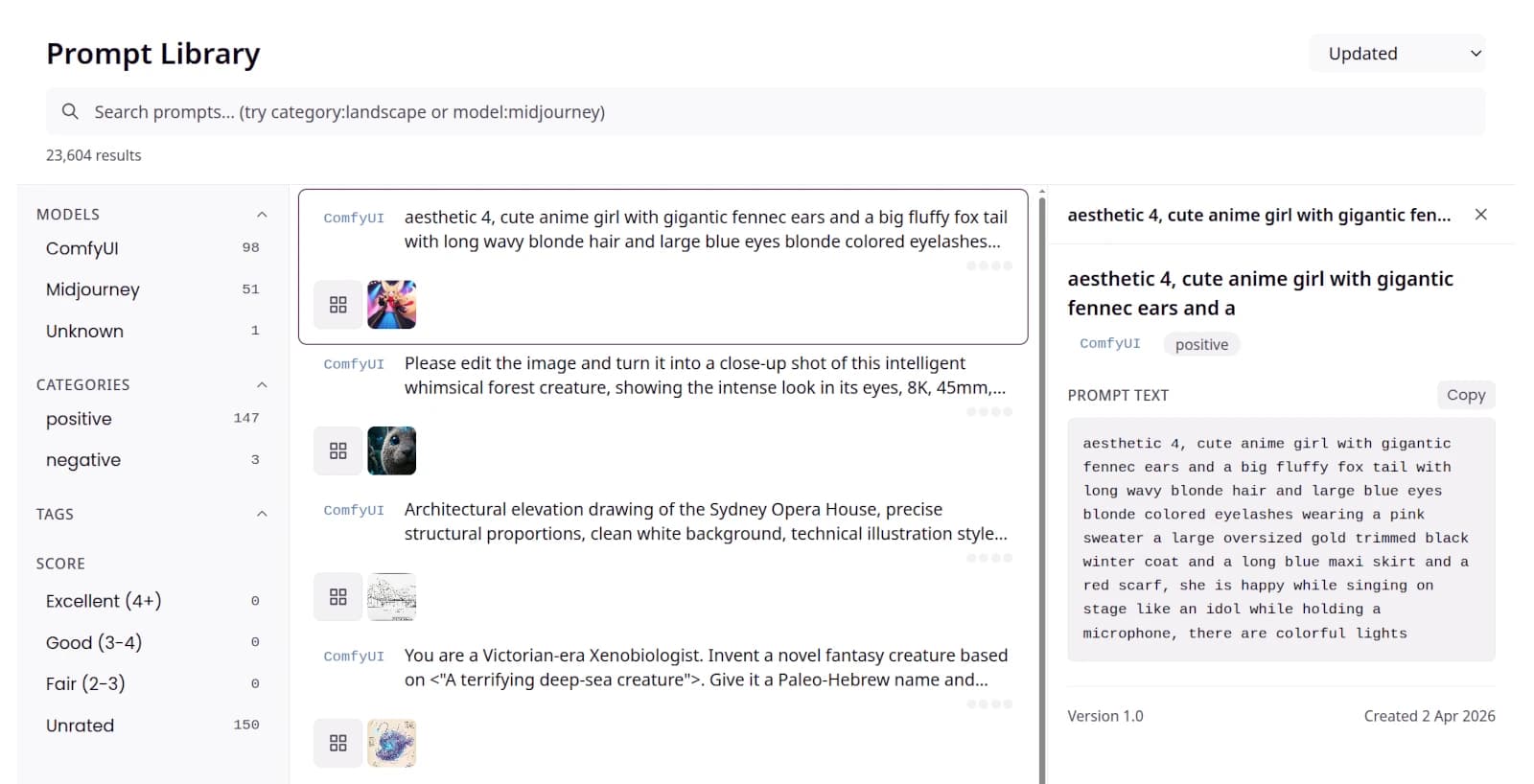
A prompt library is usually a collection of reusable prompts. Numonic builds yours automatically from what you actually generated: every prompt in your images and videos, linked to the outputs it produced. Browse by model, search by keyword, and copy what worked.
- Searchable gallery
- Filter by model
- Version history
A prompt is a creative asset too.
The wording that produced a good result is worth as much as the result itself, yet it usually lives in a chat log or a text file you never find again. Numonic reads the prompt out of every asset you import and keeps it where you can search it, filter it, and re-use it. Nothing to copy and paste by hand, and nothing lost between sessions.
What it does today
Collected, searchable, and ready to re-use.
Every capability below is live in the product today.
- A searchable galleryEvery prompt from your imported assets is collected in one browsable gallery. Each entry shows the prompt text, the model it ran on, and the assets it produced.
- Search by keyword and modelFind prompts with free-text search, or narrow to a single model such as ComfyUI or Midjourney. Combine the two to reach the exact prompt you remember.
- Filter by model and categoryGroup your library by AI model and by prompt category, such as positive and negative, so the set in front of you is only what you asked for.
- Full text, ready to copyOpen any prompt to read its complete text and copy it in one click, along with the model and the date it was first seen.
- Version historyA prompt keeps a record of how its wording changed over time, with timestamps, so you can see how it evolved and return to an earlier form.
- Rendered from templatesSave a prompt as a template with placeholders, then render it with new values when you need a variation, without retyping the whole thing.
Who it is for
For creators working solo and for teams.
For individual creators
Stop losing your best prompts. Every one is collected with the assets it produced, so you can search your own history by model or keyword, copy what worked, and build on it instead of starting over.
For studios and teams
Keep a shared prompt library across the studio. See which prompts pair well with each model, follow version history to know when a wording changed, and filter to the tools your team actually uses.
Part of Organize
Prompts sit alongside your models and your librarian.
Get started
Keep every prompt you have already written.
Import your AI-generated assets and Numonic collects every prompt automatically, ready to search and re-use.