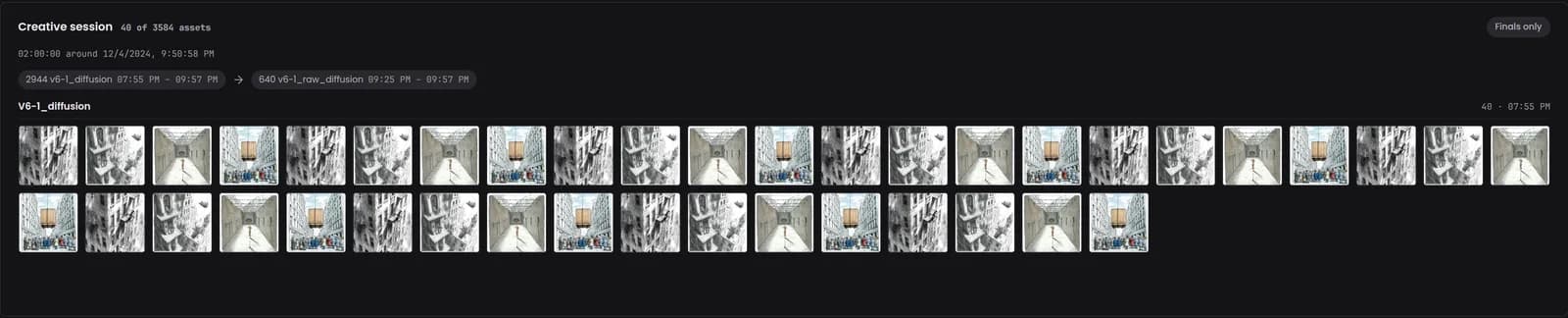
A two-hour window around the asset
The panel gathers every Midjourney asset enqueued within two hours before or after the one you are viewing, and labels the window with its centre time (for example “02:00:00 around 12/4/2024, 9:50:58 PM”).
Loading...
A good image rarely arrives alone. The creative session panel on a Midjourney asset page shows everything you generated in the same sitting, so the near-misses, the variations and the final upscale are one click apart.
Open a Midjourney asset and scroll to the bottom of the page. The Creative session panel runs the full width of the page, below the related assets.
The panel gathers every Midjourney asset enqueued within two hours before or after the one you are viewing, and labels the window with its centre time (for example “02:00:00 around 12/4/2024, 9:50:58 PM”).
Assets are grouped by job type, each group with a count and the time range it covers. Initial grids, Variations, Upscales and Remixes come first, in that order; any other job type (for example V6-1_diffusion) follows under its own name. A summary row at the top shows the shape of the whole sitting.
Turn on Finals only to hide everything except the upscales, which is usually the quickest way to find what you actually kept.
Select any tile to open that asset. The asset you are on is outlined. Large sessions load 20 assets at a time as you scroll, and the keyboard can load more too. Sessions can run to thousands of assets.
Midjourney stamps each job with the time it was enqueued. Numonic keeps that timestamp when you import, then looks for neighbours in time.
The enqueue time of the asset you are viewing is the middle of the window.
Every Midjourney asset in your library enqueued within two hours either side is included.
Assets are bucketed by job type in creative order, and ordered by time inside each group.
The panel only appears when Numonic has a generation time for the asset and at least one neighbour in the window; otherwise it stays out of the way. It looks at one asset at a time. To see how your whole library clusters into sessions across tools, use Sessions.
The asset page reads the same data you can fetch yourself. Both routes need an API key with the read scope.
GET /api/v1/assets/{assetH}/session?time_window=2%20hoursReturns session_center, time_window and an assets array (asset ID, job ID, parent ID, job type, timestamp). time_window is a number plus minutes, hours or days, for example 30 minutes. Responses are cached for five minutes.
GetCreativeSession(asset_id, time_window)The same session for agents. See the MCP Tool Reference.
Import your Midjourney history and every image is one click from everything else you made around it.